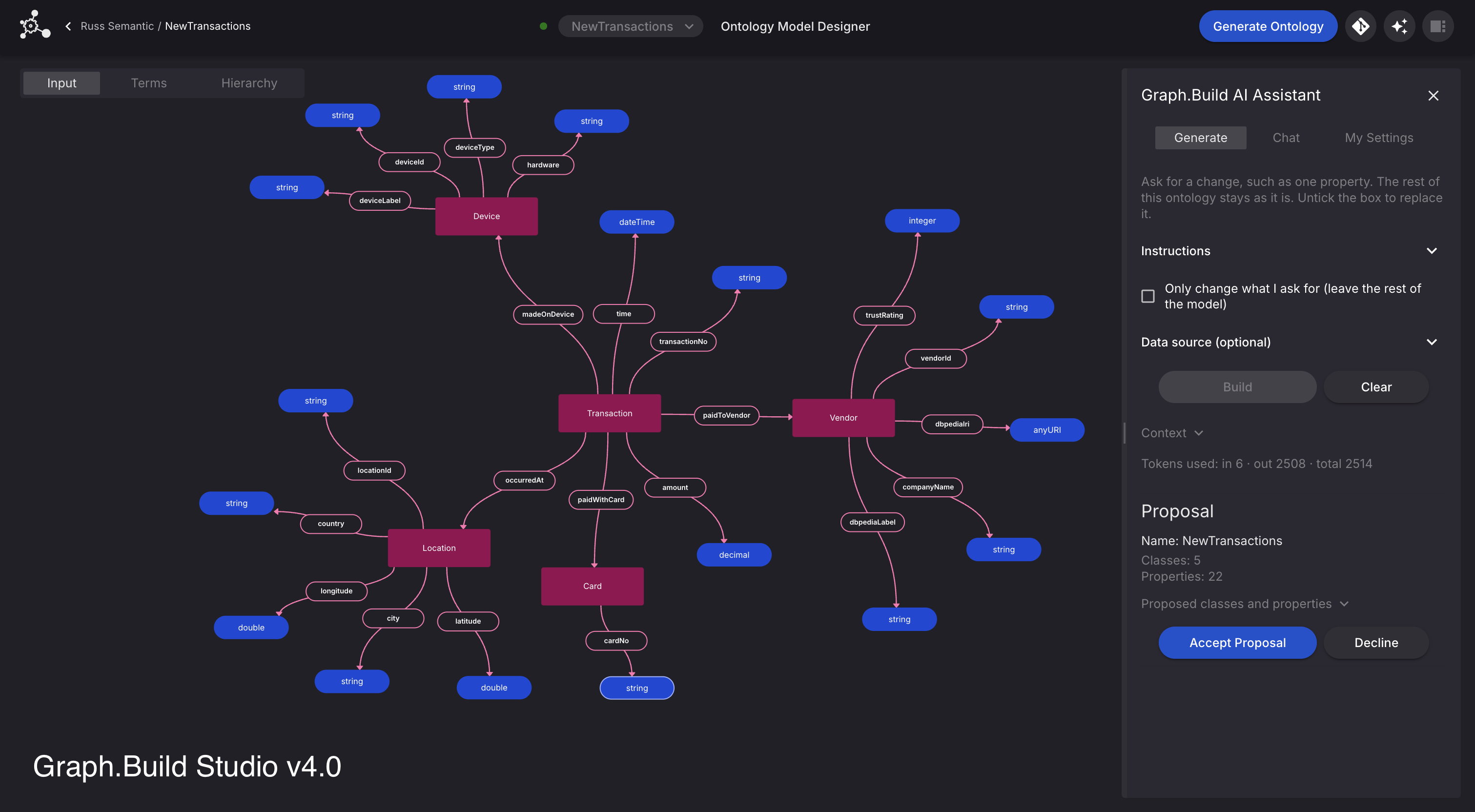
After we released Studio v4.0 last week, the first technical question we got wasn't about what the AI Assistant can do. It was about what happens when it gets something wrong.
That's the right question. A model that loads fine but quietly contradicts your domain is worse than no model, because it looks finished. So Studio's AI features follow one rule: a person decides what goes into the model, and every AI change can be undone.
You see the change before it lands
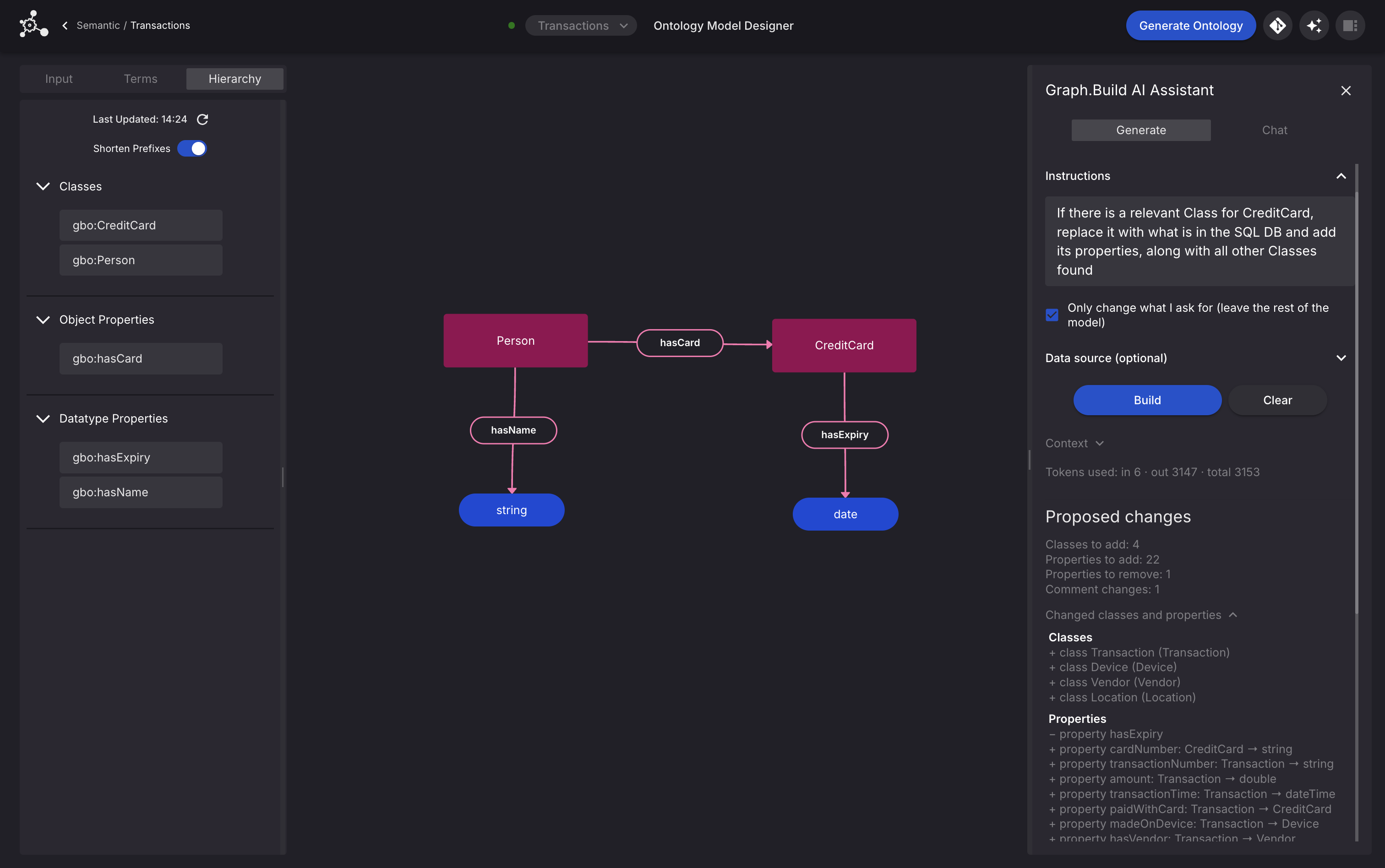
Generate builds or edits the design you have open. Before anything is applied, Studio shows you what it wants to change, and you decide whether to approve it.
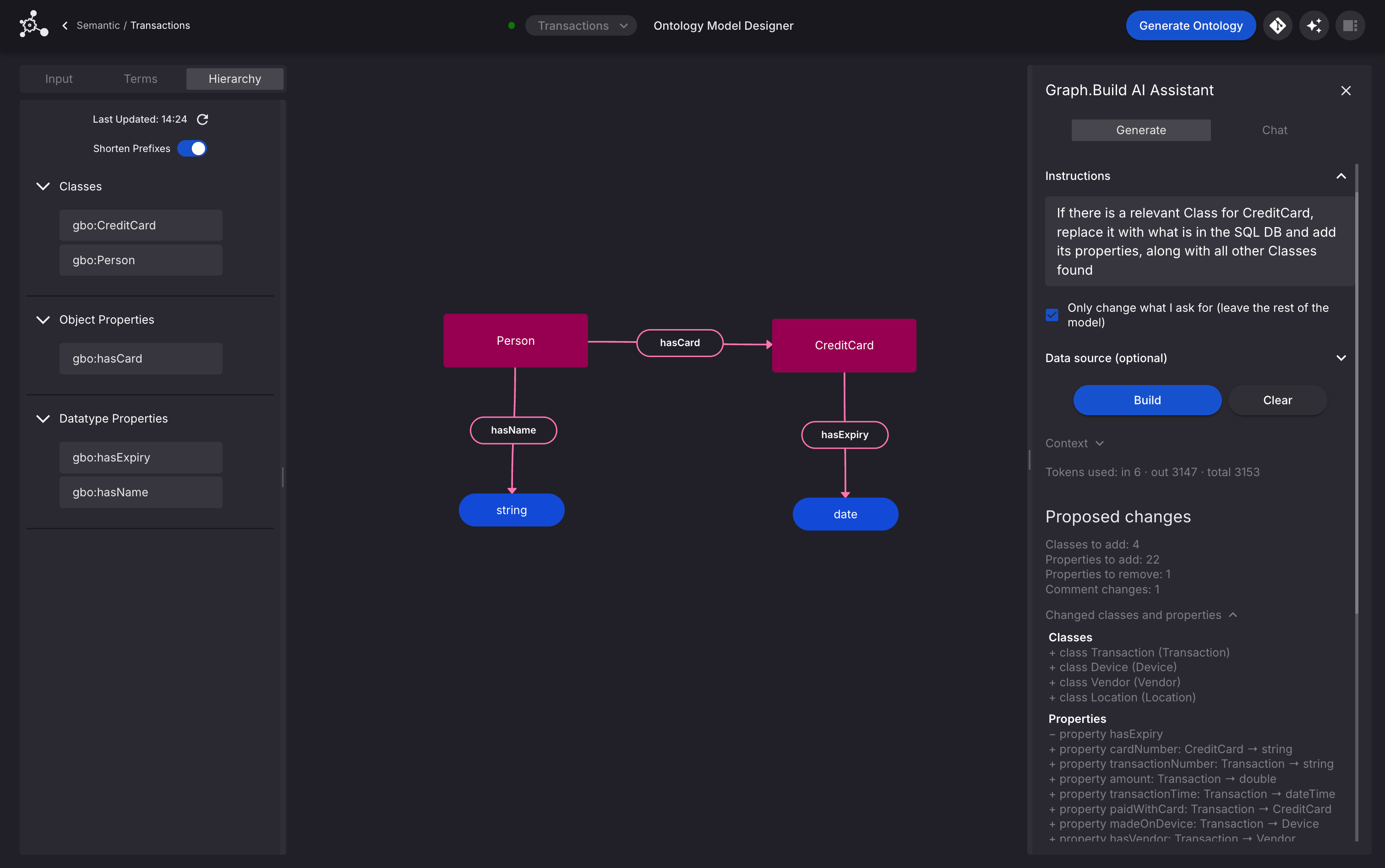
Nothing Generate produces goes straight into a published ontology or schema. It lands in the open design, where you check it against your data like any other edit.
Every AI edit is its own commit
Models and published ontologies in Studio have git history, and each AI edit gets its own commit. Reviewing it later means reading a diff. Undoing it is one step. You never have to untangle what the assistant changed from what you changed.
AI clients ask before they edit
Studio's MCP server lets any AI client that supports MCP explore your ontologies and work on your designs. Its read tools and write tools are separate, and the write tools are annotated as edits. Clients that respect those annotations ask you to confirm before anything changes.
The assistant does the first draft. You keep the modelling decisions, and the history means you can always see who changed what.
Want to see it on your own data? Book a demo and tell us what you're working with.